SSH Tunnel
准备VM
创建一个azure linux vm, ./ssh/config示例:
Host vm1
    HostName xx.xx.xx.xx
    User L001
    IdentityFile azure001_key.pem
    Compression yes
    DynamicForward 1080
    ServerAliveCountMax 60
    ServerAliveInterval 30
设置代理
火狐浏览器
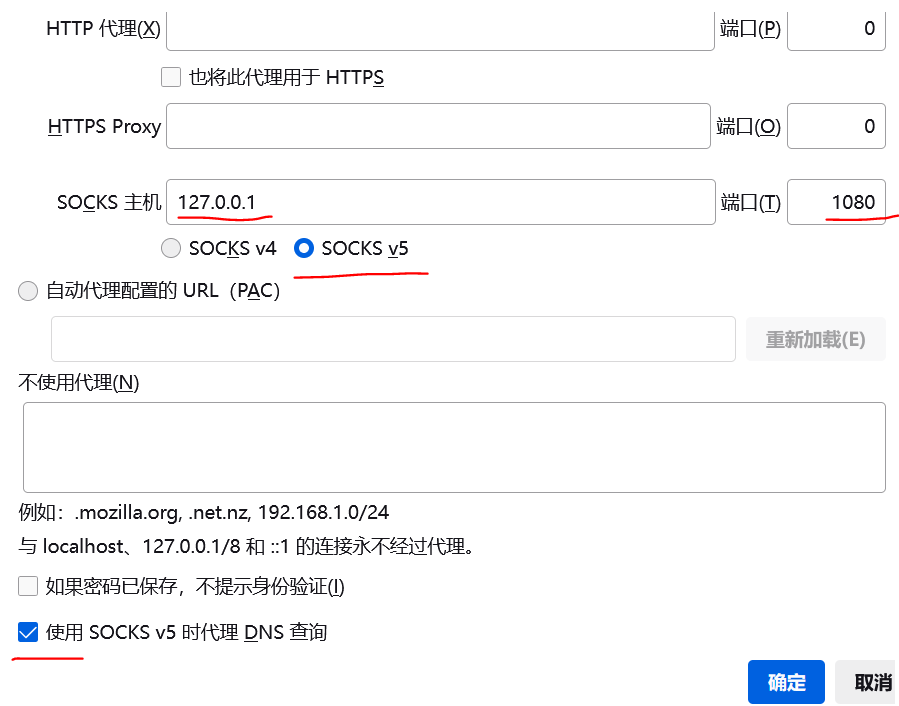
火狐浏览器中,网址栏输入"about:preferences",随后下拉至最下方"网络设置"-->"设置"-->"手动配置代理"
所有浏览器(Win10)
网络设置-->连接
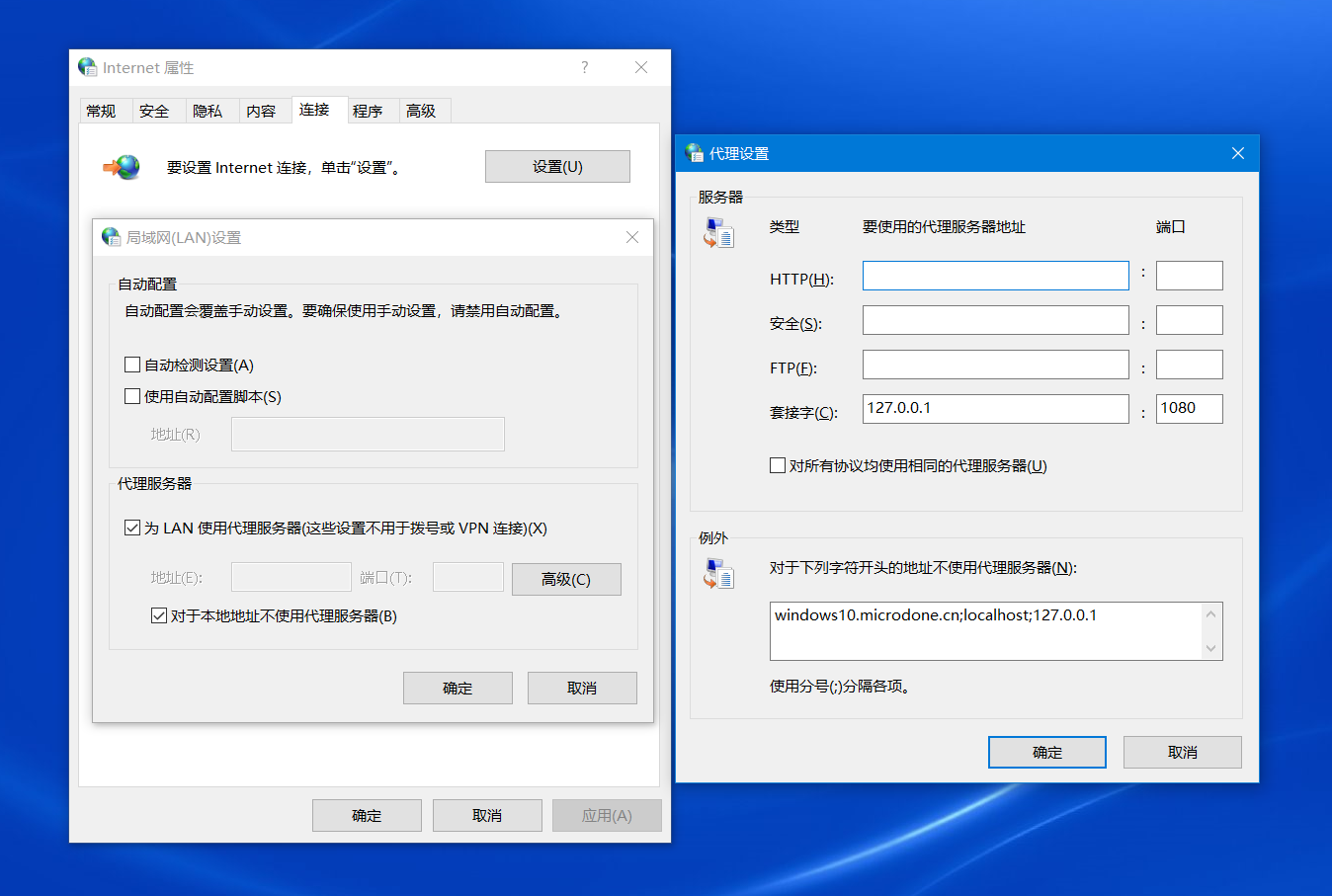
然后此处会显示
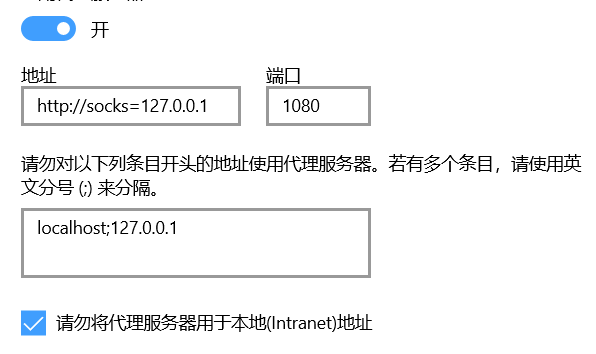
注意,不能直接搜索代理、然后设置,否则不生效
链接
保持与vm的链接,正常使用(火狐)浏览器就行了
ssh -vvv vm1
查看IP
vm中:
## 外网
curl ifconfig.me
curl cip.cc
## 内网?
ip route show
看下浏览器访问ifconfig.me是否已经变为远程地址
Python SSH Tunnel
比方说链接SQL数据库啥的
Install Packages
sudo apt-get update
sudo apt install python3-pip
python3 -m pip install sshtunnel

ssh-keygen              ## /home/L001/.ssh/id_rsa
Example
from sshtunnel import SSHTunnelForwarder

server = SSHTunnelForwarder(
    SSH_SERVER,                             #Step 2 连接远端服务器SSH端口
    ssh_username=USERNAME,
    ssh_password=USERPWD,
    local_bind_address=LOCAL_ADDR,          #Step 1 连接本地地址,若不配置则随机绑定
    remote_bind_address=REMOTE_ADDR)        #Step 3 跳转到远端服务器

server.start()

print(server.local_bind_port)
其余参考
- SSH Tunnel: https://zhuanlan.zhihu.com/p/46243205
- SSH Forwarder: http://www.voidcc.com/project/sshtunnel
server = SSHTunnelForwarder(
    ssh_address_or_host=None,
    ssh_config_file='~/.ssh/config',
    ssh_host_key=None,
    ssh_password=None,
    ssh_pkey=None,
    ssh_private_key_password=None,
    ssh_proxy=None,
    ssh_proxy_enabled=True,
    ssh_username=None,
    local_bind_address=None,
    local_bind_addresses=None,
    logger=None,
    mute_exceptions=False,
    remote_bind_address=None,
    remote_bind_addresses=None,
    set_keepalive=5.0,
    threaded=True,
    compression=None,
    allow_agent=True,
    host_pkey_directories=None)
参考
ProxyChains https://zhuanlan.zhihu.com/p/166375631